Register on Matrica
The platform that checks your Medallion and opens the pre-sale for you, step by step.
By the TMLUnited crew, at the festival every year since 2022About us
Matrica is the platform Tomorrowland chose to check who holds the Medallion of Memoria. It's where you register for each pre-sale: without registering before the deadline, there's no access, even with the three NFTs in your wallet.
- You need a verified Tomorrowland account, a Discord account and your Solana wallet holding the NFTs.
- You fill in the form for the relevant edition before the deadline, with the emails of the Tomorrowland accounts that will buy.
- After closing, keep your NFTs in the same wallet for at least 24 hours, for the snapshot.
What you need
A verified Tomorrowland account
Created on tomorrowland.com, with a confirmed email. Each person who will buy a ticket needs their own.
A Discord account
Matrica asks you to link a Discord account.
Your Solana wallet
Phantom for example, holding your NFTs. You can link several wallets to the same Matrica account.
Registration step by step
- 1
Create the account
Go to matrica.io and sign in with your wallet.
- 2
Link your accounts
Add your Discord and, if needed, your other wallets. Your Medallion should show as recognised.
- 3
Open the edition's registration
Tomorrowland posts a registration link for each pre-sale on its Matrica feed. Each edition has its own form.
- 4
Choose your option
Select the option that matches the number of Medallions you hold.
- 5
Enter the emails
Enter the emails of the Tomorrowland accounts concerned, all different and verified. Extra emails are removed.
- 6
Submit before the deadline
You can submit the form again to fix a mistake: the new answer replaces the old one.
After registering: the snapshot
The snapshot is a photo of the blockchain taken after closing. It checks that you still hold the NFTs. Keep them in the registered wallet for at least 24 hours after the deadline: selling or moving them before loses the access.
Our journey, emails as proof
What our crew received, from the Matrica form to the tickets. The registration comes from the Belgium 2025 presale (late 2024), the purchase from the 2026 one (late 2025). Dates change every year, the sequence stays the same.
- 1
The Matrica form
According to the 2024 Matrica event page, each email must match a Tomorrowland account, and emails are used in the order entered: with 1 Medallion, only the first account counts; with 2, the first two. A new submission replaces the first one.
- 2
The day after closing: the Matrica emails
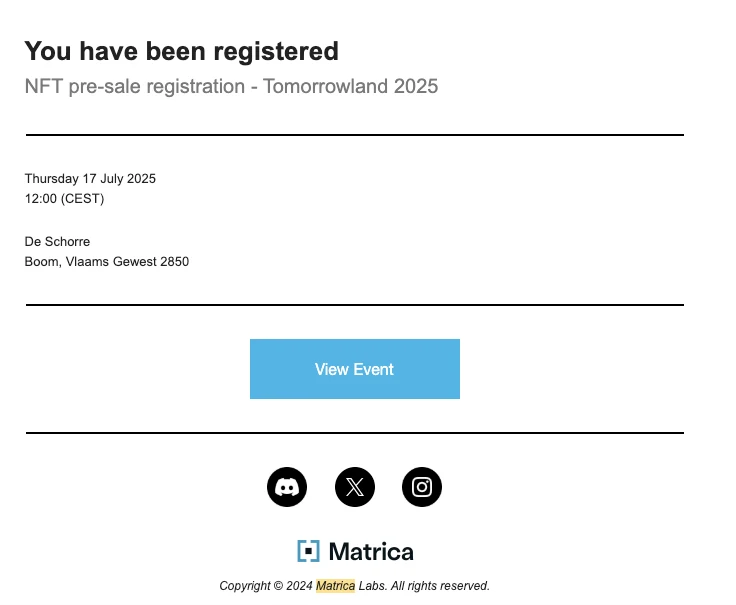
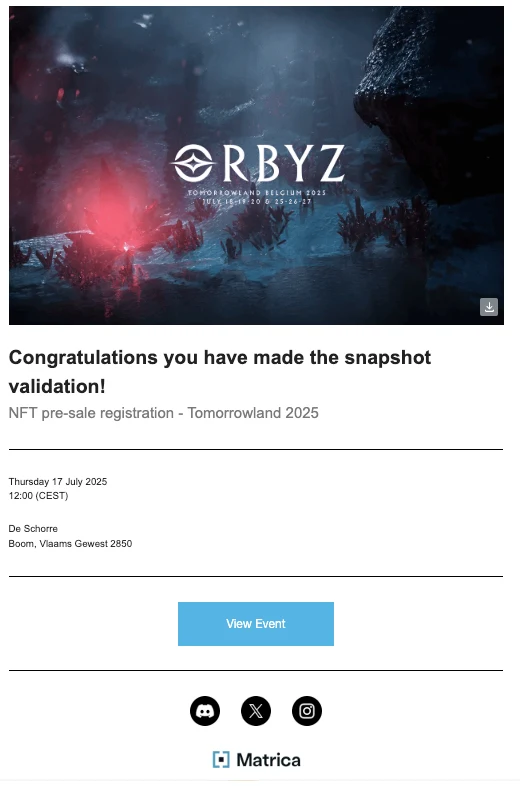
Registration closed on 30 November 2024 at 23:59. On 1 December we received “You have been registered”, then three hours later “Congratulations you have made the snapshot validation!”. In 2025 no email arrived and we could still buy: no email does not mean your registration failed.
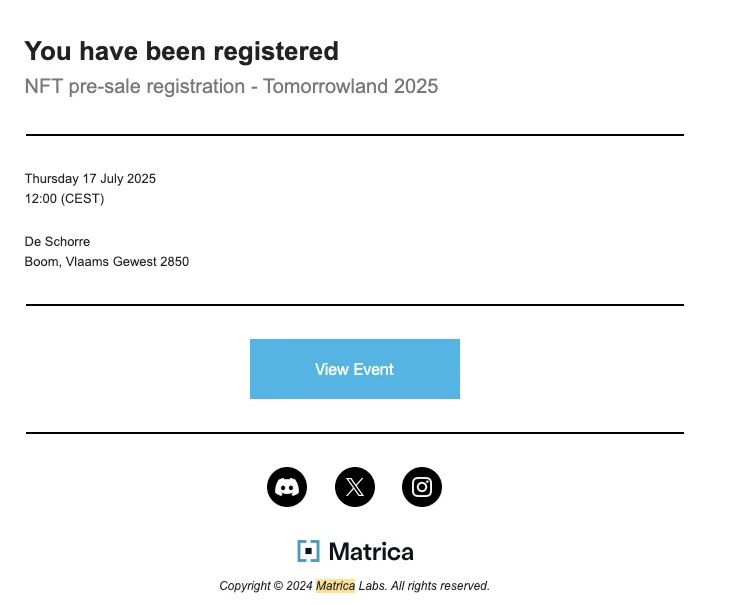
Matrica email, 1 December 2024: “You have been registered” for Belgium 2025. 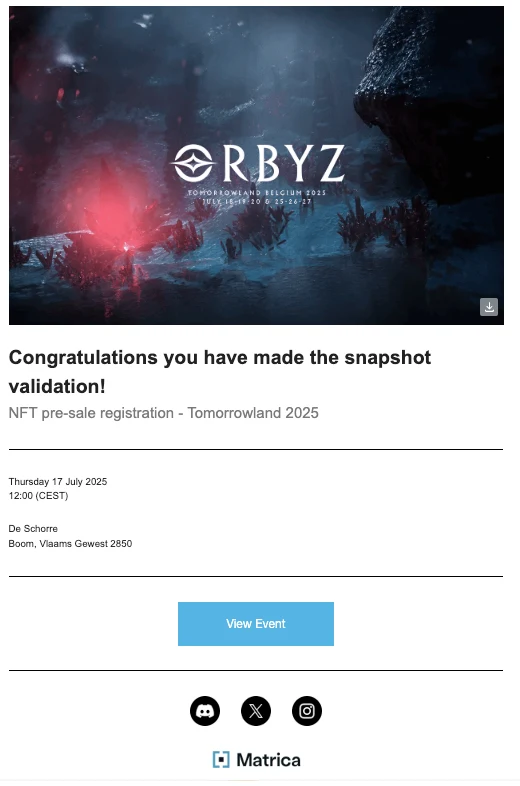
Three hours later, same day: snapshot validated. - 3
Sale day: the order
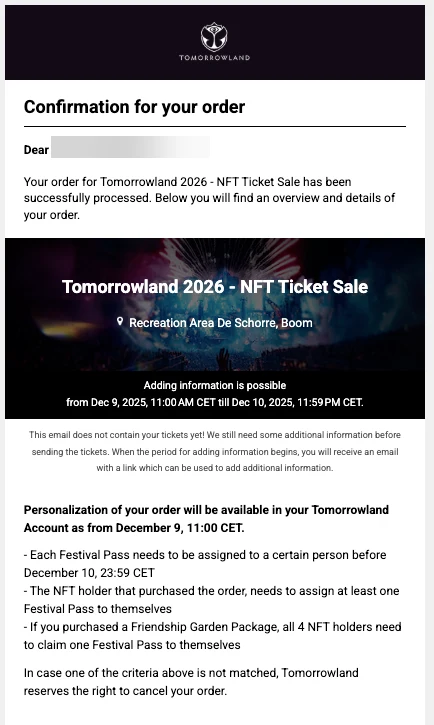
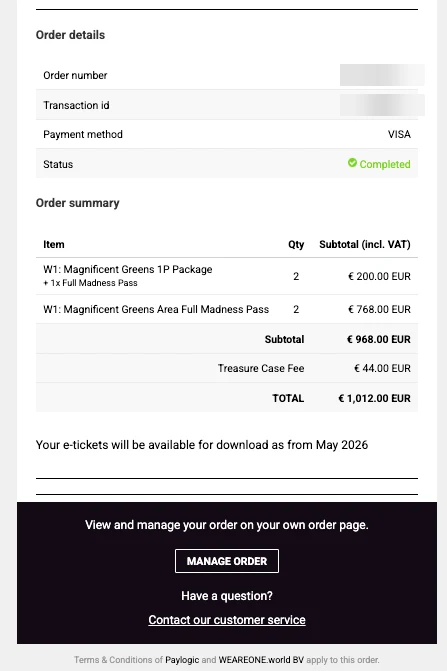
On 8 December 2025 the Regular sale opened at 3pm. Our order went through at 5:13pm, paid by card. The email from Paylogic, Tomorrowland's ticketing service, says “requires personalization”: the tickets are not there yet.
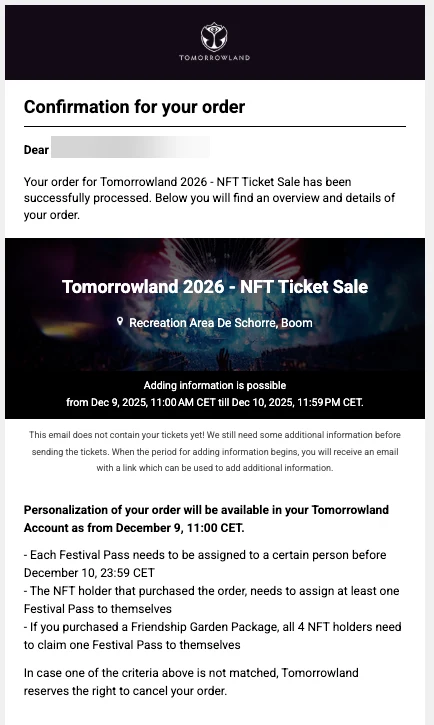
Paylogic confirmation, 8 December 2025: the personalisation window and its rules. 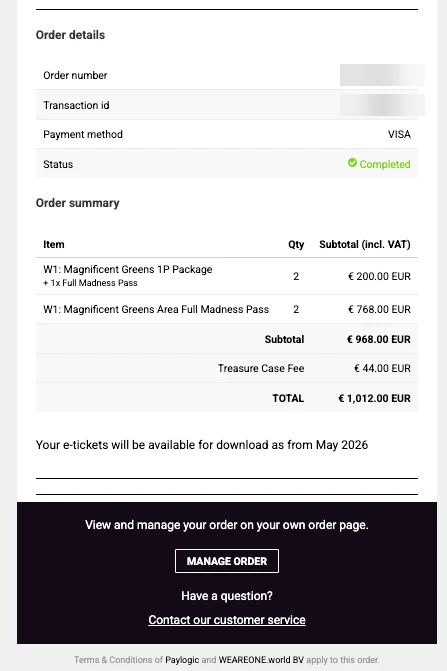
The order summary, prices incl. VAT and Treasure Case fee. - 4
The next day: personalise the tickets
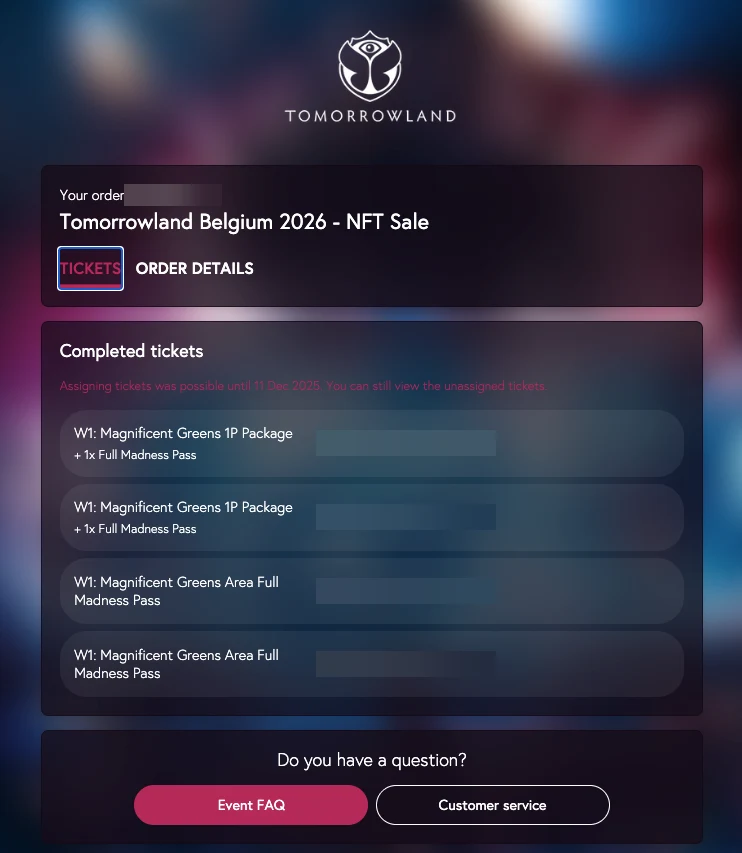
Personalisation opened on 9 December at 11am in the Tomorrowland account and closed on 10 December at 23:59, less than 37 hours. Each Festival Pass needs a name, and the buyer, who holds the Medallion, must keep one for themselves. With a Friendship Garden package, all 4 NFT holders must each claim theirs. Otherwise Tomorrowland can cancel the order.
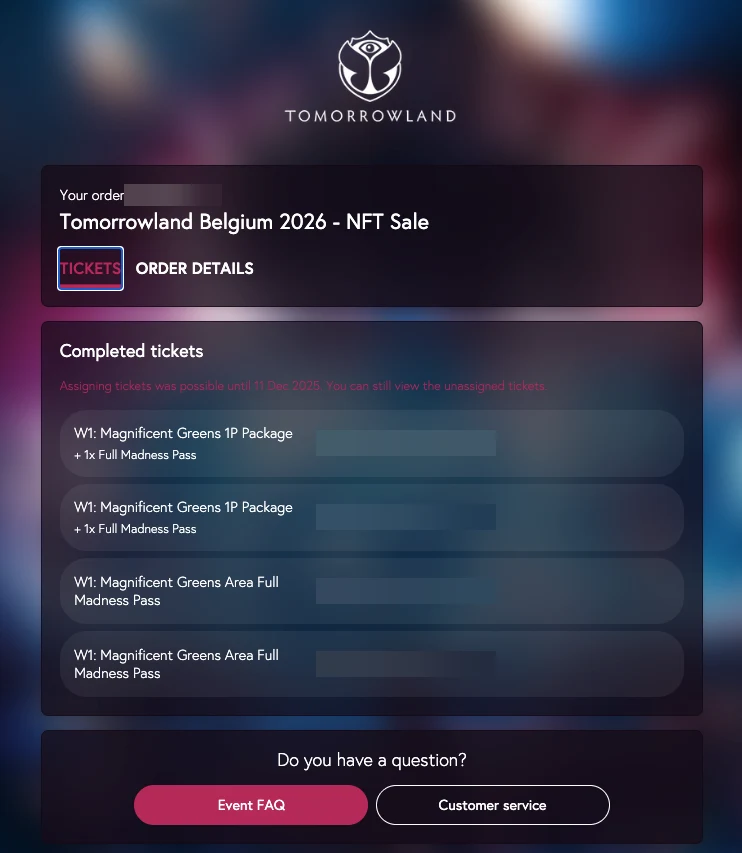
In the Tomorrowland account: tickets named, personalisation done. - 5
In May: the e-tickets
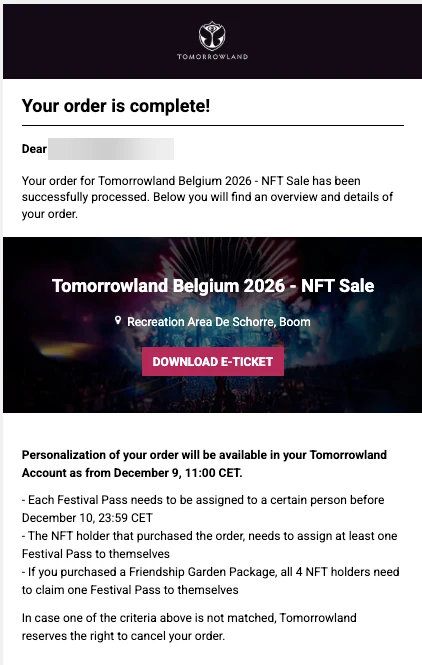
Once the names are added, Paylogic confirms “Your order is complete”. The tickets can then be downloaded from 19 May 2026.
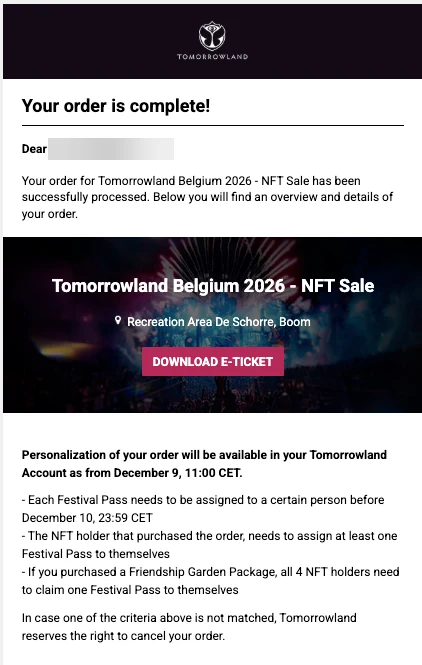
Paylogic email “Your order is complete”: the “Download e-ticket” button gives access to the tickets from 19 May 2026.
What we paid for 2026
Our order for weekend 1, with Magnificent Greens accommodation at Dreamville. Prices incl. VAT, as shown on the Paylogic confirmation.
- Full Madness PassWeekend 1, Magnificent Greens area access
- €384
- Magnificent Greens packageAccommodation for 1 person, tied to a Full Madness Pass
- €100
- Total per personExcluding Treasure Case fees
- €484
Mistakes to avoid
Missing the deadline
No registration is accepted after closing, and support can't add you.
An email without a Tomorrowland account
Each email must match an existing, verified Tomorrowland account. For some editions, the option to receive Tomorrowland emails must also be turned on.
Several Medallions on one account
Only one registration per Matrica account. Beyond 5 Medallions, you need additional Matrica accounts.
FG and Regular in Belgium
Medallions used for the Friendship Garden registration can't be used for the Regular/Global Journey pre-sale.
FAQ
Can I change my registration?
Yes, by submitting the form again before the deadline. After closing, no changes are possible.
Where do I find an edition's registration link?
On Tomorrowland's official Matrica feed, and in our pre-sale calendar as soon as it's announced.